 Seolytics
What Is llms.txt and Do You Need One?
llms.txt is a Markdown file that gives AI tools a map of your site. What goes in it, where it lives, who reads it in 2026 and whether you should add one.
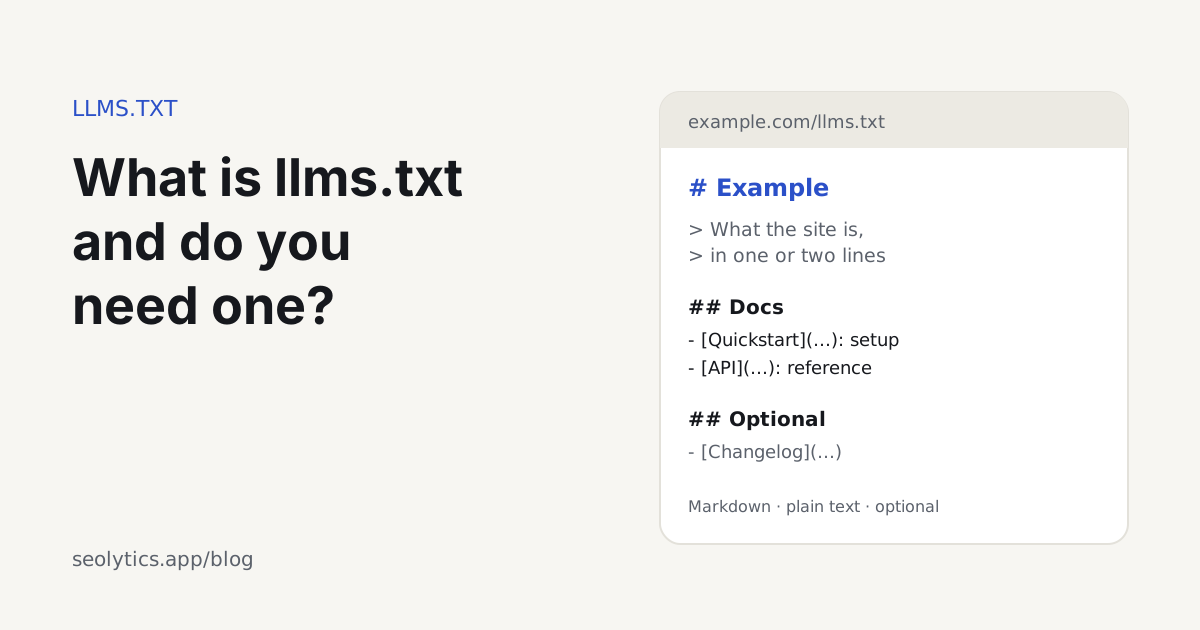
llms.txt is a proposed Markdown file at the root of a website (example.com/llms.txt) that gives AI tools a short, hand-picked list of the site's most useful pages. Jeremy Howard of Answer.AI proposed it in September 2024 so that language models could find the right pages when someone asks them about a site. The file is optional. Google says Search doesn't use it, and no major AI search engine has confirmed reading it. Today it is mostly used by AI coding assistants and agents that work with documentation.
It takes half an hour to add, so the question is less whether you can and more whether it does anything for your site. Below: the format, where the file goes, and who reads it.
What does an llms.txt file look like?
Here is a shortened version of ours, at seolytics.app/llms.txt:
# Seolytics

> Seolytics is an SEO and GEO (AI search) platform for small teams: site audits,
> keyword research, rank tracking and visibility in ChatGPT and Google AI answers.

## Product

- [Pricing](https://www.seolytics.app/pricing): plans, per-lookup prices and a usage calculator
- [AI agents (MCP)](https://www.seolytics.app/agents): connect Claude, ChatGPT or Cursor

## Free tools

- [Website audit](https://www.seolytics.app/website-seo-checker/audit): up to 25 pages checked for SEO and AI search problems
- [llms.txt validator](https://www.seolytics.app/tools/llms-txt-validator): checks a site's llms.txt against the format

## Optional

- [Privacy policy](https://www.seolytics.app/website-seo-checker/privacy)
The parts, in order:
- An H1 with the name of the site or project. This is the only required line.
- A blockquote with a one- or two-sentence summary of what the site is.
- Optional notes in plain paragraphs or lists, without headings, for anything a model should know before it starts.
- H2 sections, each a list of Markdown links, with a short note after a colon.
- A section called
## Optionalfor links a tool can skip when it runs short of context.
The proposal also suggests serving a Markdown copy of each page at the same address with .md added, so /pricing.md next to /pricing. A model can read that without the surrounding HTML.
llms.txt vs robots.txt vs sitemap.xml
These three files all live at the root of a site and do different jobs:
| File | What it does | Format | Who reads it |
|---|---|---|---|
| robots.txt | Says which crawlers may fetch which URLs | Plain-text rules | Every major search and AI crawler |
| sitemap.xml | Lists the URLs you want crawled | XML | Search engines |
| llms.txt | Points AI tools to your most useful pages, with notes | Markdown | Some AI agents and coding tools; not Google Search |
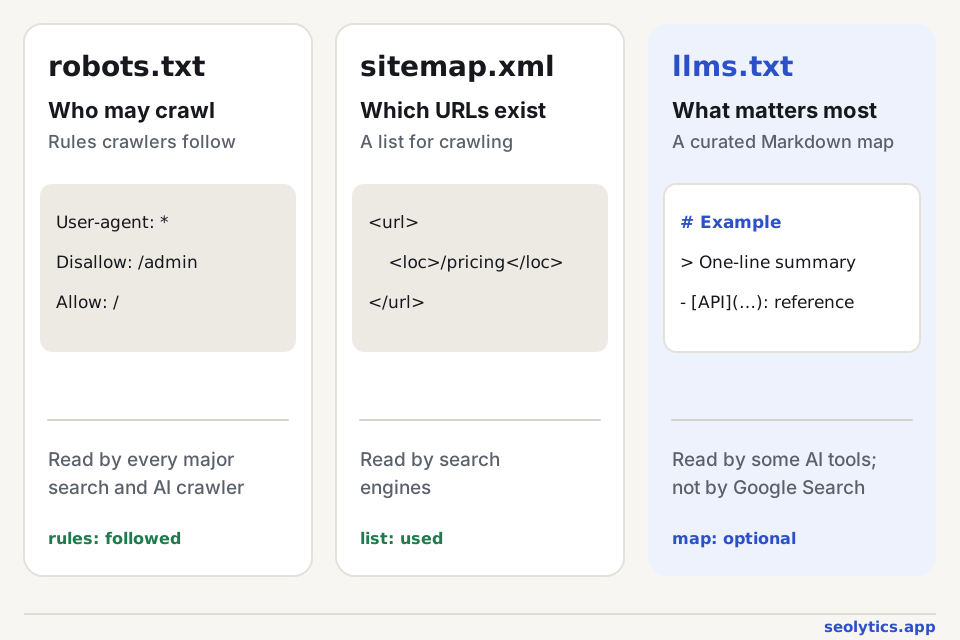
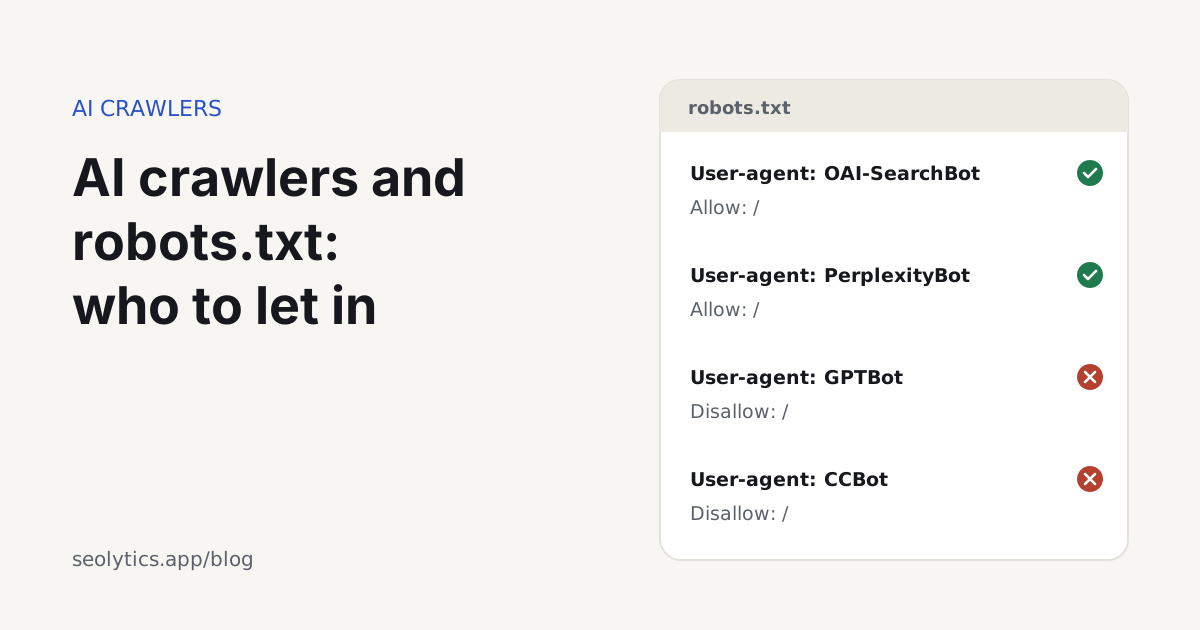
Crawlers obey robots.txt. llms.txt is a suggestion that some AI tools may read, and it can't allow or block anything. Access is still decided by robots.txt, which we cover in AI crawlers and robots.txt.
Are llms.txt files worth it?
That depends on who you want to reach. As of October 2026:
Google Search doesn't use it. Google's May 2026 guide to generative AI features says you don't need AI text files, special markup or Markdown copies of pages to appear in Search, AI Overviews and AI Mode included. Search ignores them, and they don't help or hurt rankings.
Chrome does check for it. Lighthouse in Chrome 150 and later has an "Agentic browsing" category with an llms.txt audit. If the file is missing, the audit is marked "not applicable"; if the server returns an error, it fails.
The AI search engines haven't said anything. OpenAI, Anthropic and Perplexity document robots.txt rules for their crawlers, but none of them has said its search crawler reads llms.txt.
Developer platforms use it. Documentation sites such as Stripe's and Cloudflare's publish llms.txt files so coding assistants can find the right pages and their plain-text versions.
If you run documentation, an API, or a product that developers use with AI coding tools, add one. That is the case the format was designed for. On a typical business site it does no harm and takes half an hour, but don't expect it to bring traffic. Crawler access, indexable HTML and clear answers matter more, and our GEO guide covers them.
Is llms.txt mandatory?
No. It is a community proposal rather than a web standard, and nothing breaks without it. Search engines and AI assistants crawl and cite sites without an llms.txt every day. Our own website audit lists a missing llms.txt only as a minor note.
How to create an llms.txt file
- Start with the H1 and the summary: the site's name, then one or two sentences on what it is and who it's for. Write the sentence you'd like an AI to repeat about you.
- Choose 10 to 30 pages that matter, such as product and pricing pages, docs, main guides and policies. Skip tag pages, archives and thin pages.
- Group them under H2 headings like
## Product,## Docsor## Guides. - After each link, add a colon and a few words on what the page answers.
- Move secondary links into
## Optional. - Save the file as plain text at the root of your domain, and update it when pages move.
Several documentation platforms and SEO plugins generate the file for you. If you write it by hand, a small build script that reads page titles and descriptions will keep it current. The blog section of our own file is maintained that way.
Where to put the llms.txt file
At the root of the domain: https://example.com/llms.txt. A few things go wrong often:
- Each host needs its own file, so
docs.example.comgets a separatellms.txt. - Serve it as plain text with a 200 status, as
text/plainortext/markdown. - Single-page apps often answer every address with the same HTML shell. In that case
/llms.txtreturns a web page instead of the file, so look at the response itself, not just whether the URL opens. - Don't let
/llms.txtredirect to an HTML page such as your home page, because tools will read that page instead.
How to generate llms-full.txt
llms-full.txt is a companion file: the full text of your main pages in a single Markdown document, so an AI tool can load all of it with one request. It is useful for documentation, where a coding assistant may want the whole reference at once.
To build one, join the Markdown sources of your docs in reading order, with each page under its own heading and its URL. Keep it a reasonable size. A file of several megabytes won't fit in a model's context, so split it by product if you have to. A marketing site doesn't need one; llms.txt is enough.
How to check your llms.txt file
- Open it in a browser. You should see plain Markdown text; if you see your site's design, the server is returning HTML.
- Run
curl -I https://example.com/llms.txtand check for status 200 and a text content type. - Run the free llms.txt validator, which checks that the file exists and follows the format: H1 title, summary, sections and Markdown links.
- Run Lighthouse in Chrome and look at the Agentic browsing category.
FAQ
What does "LLM text" mean?
Usually it means llms.txt, a text file written for large language models (LLMs) rather than for people or search engines. LLM is the type of model behind ChatGPT, Claude and Gemini.
Does ChatGPT read llms.txt?
OpenAI hasn't said that ChatGPT or its crawlers use llms.txt. ChatGPT finds pages through search and its own crawler, OAI-SearchBot. An agent browsing a site for a user might open the file, but it won't affect whether ChatGPT cites you.
Does llms.txt replace robots.txt?
No. robots.txt controls which crawlers may access which pages, and crawlers follow it. llms.txt only suggests which pages are most useful and can't allow or block anything.
Should llms.txt link to Markdown versions of pages?
If you have them, yes. The proposal recommends .md copies of pages because models read them more easily. If you don't, link to the normal HTML pages; the file is still valid.